There are two methods available for displaying the image on the event landing page.
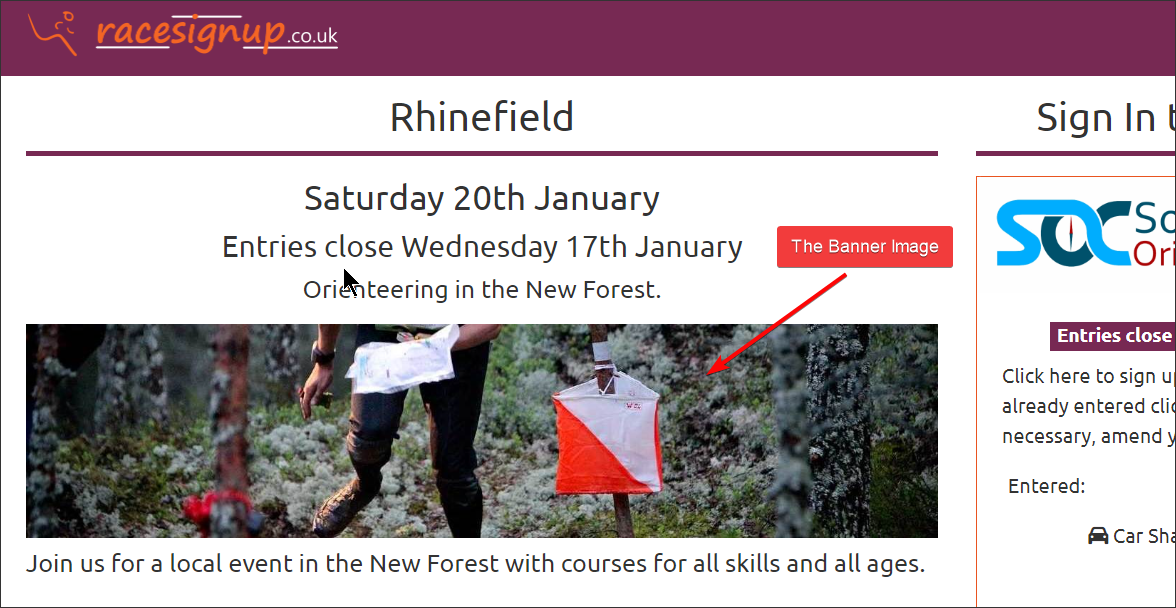
- Select a banner image from our library
- Include a link to any image – hosted on the Racesignup server or your own server subject to the guidelines below.
The first method:
- Setup the Event >> The Event
- Scroll way down to “Banner Image”, select the image you want and save.
The second:
- Make sure “Banner Image” is set to (none)
- Setup the Event >> Entry Settings >> Event Landing Page >> Event long description
- Use this text at the start of the long description:
[image]https://yourdomain.co.uk/yourimage.jpg[/image]
- Please make sure that you optimise the image size. If the filesize is over 80kB it will slow down the loading of your page. Use your image editing tool to reduce the quality of the image to reduce the filesize.
If you want us to host the image send it as an attachment to [email protected]. If you want to host yourselves please follow these guidelines:
- Hosted on secure server (SSL)
- Image size approx 1200 x 400 pixels
- Filesize: 80KB or lower
Do not use imgur or other image hosting services. They can often remove your image link without warning or inject unwanted adverts!