Welcome to the new way of working in Race Admin. When you initially login you will see this screen:
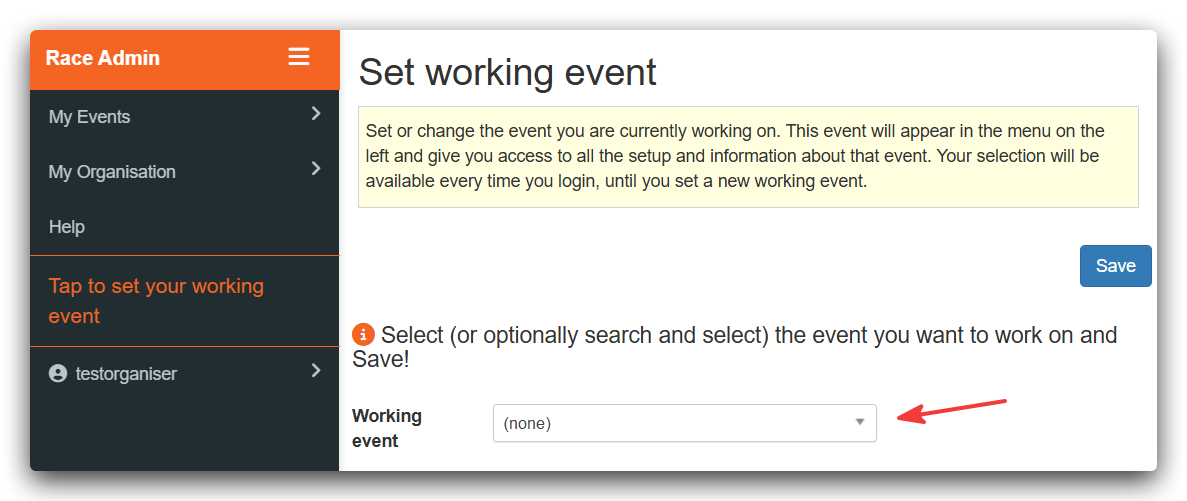
Under My Events you will find the “old style” tables for Setup, Manage and Data Exports. While we bed in the new system, please feel free to continue using these menu items.
Setting Your Working Event
The advantage of the new menu is that you can set your working event and, once set, you can fully focus on setting up and managing that event from the menus that will appear. And this event will remain set as your working event even after logging out and logging back in again.
To set your working event, click on the dropdown list, search for and select the event you are currently working on and Save: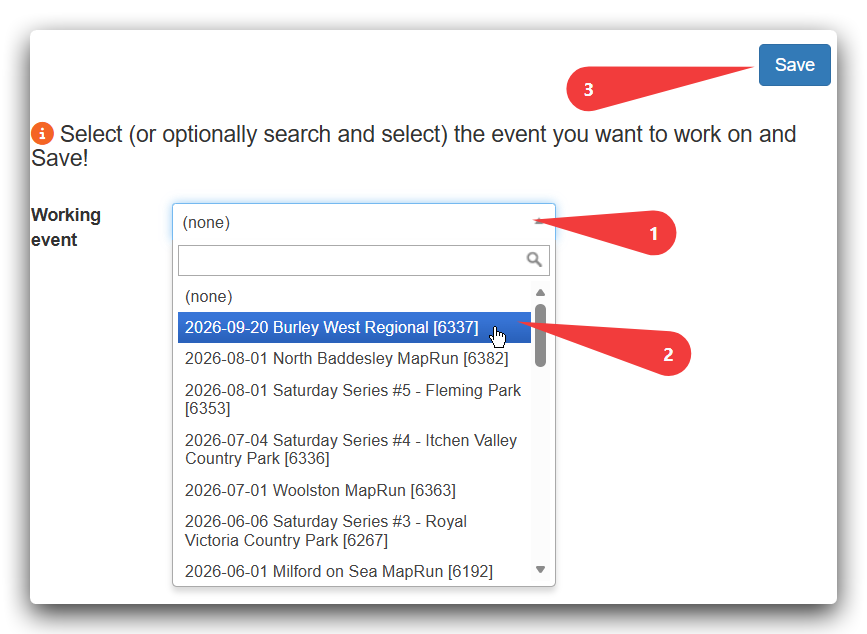
Now that you have set you working event, the menu will look something like this:
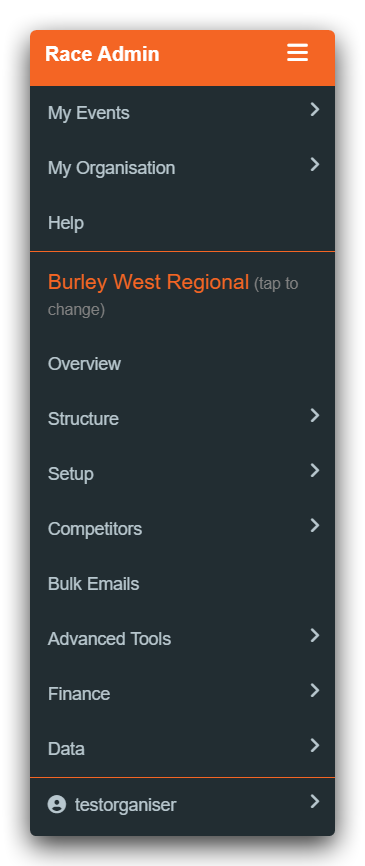
All the menu items under the event name give you access to the settings and data for that event. We have considered the terminology carefully, making it as logical and intuitive as we can. If you have any ideas for improvement please let us know. With this new structure we are able to only show, e.g., orienteering specific stuff when the selected event is orienteering. There is still some work to do in this area so, again, if you have any ideas or request, fire away.
Here is a little heads up on what is where but the best way to get to grips is to have a look around:
- Overview status indicators and previews of your event’s entry pages
- Structure how your event is structured around Phases, Categories, Courses and Classes – see The Structure of an Event
- Setup the main settings for your event
- Competitors entrant data
- Bulk Emails where you can define and send your emails to customers
- Advanced Tools specific settings that are not often used or changed
- Finance information on payments received and other financial activity related to your event
- Data access to lists of data that can be exported to Excel and used for analysis, safety and for use by your timer and other event officials
And just a word about the “hamburger”:

Clicking on the hamburger will toggle the menu to hide and unhide. When you use Race Admin on a mobile device the menu will be hidden and you will need to click on the hamburger to display it.