To switch on live EA membership validation for your event:
Firstly check that you have the entry form set up in a suitable way. Go to Setup >> Entry Form – Standard Items. Here is our recommendation:
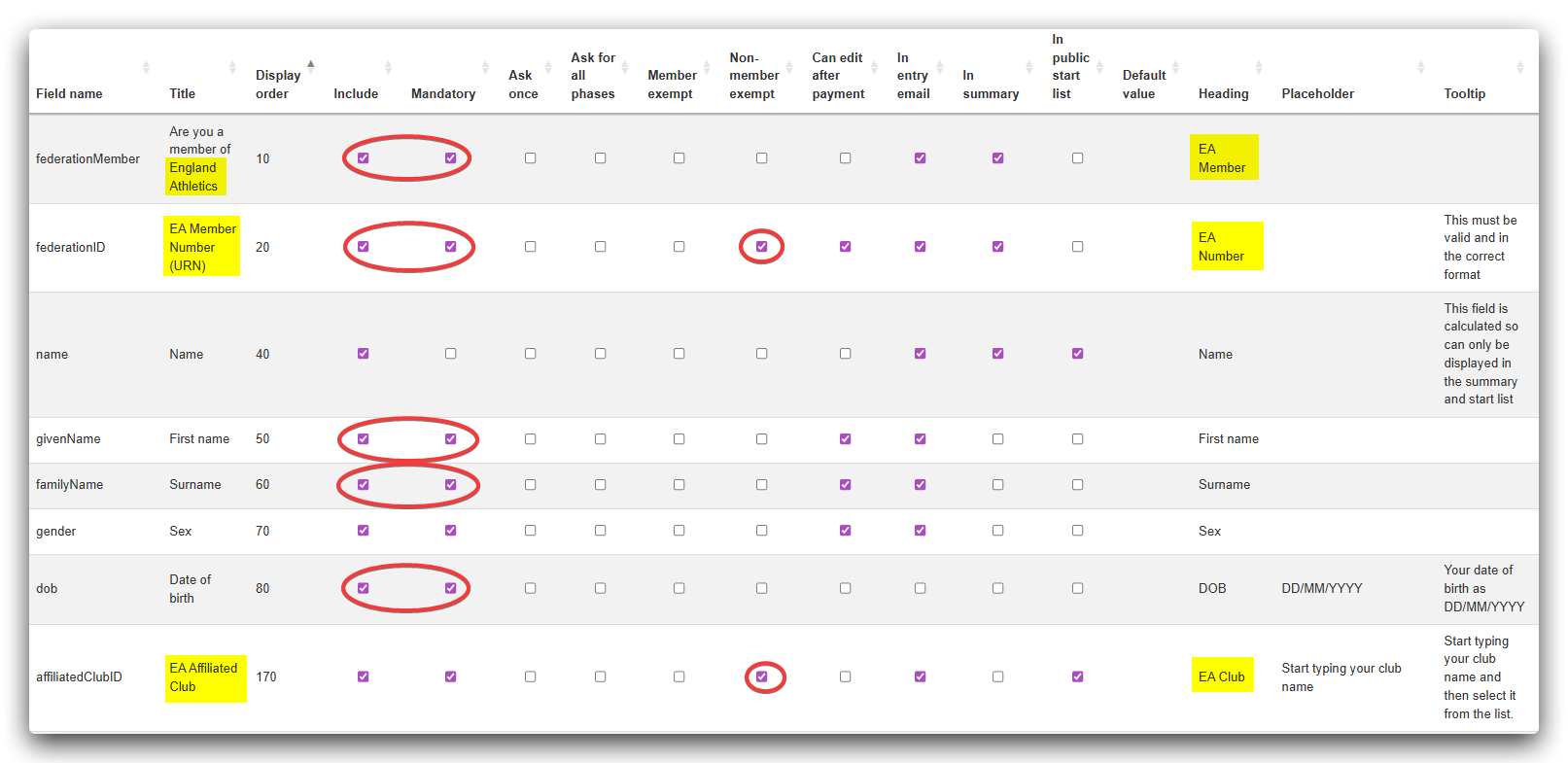
The yellow highlights indicate the recommended wording for the titles, headings and tooltips for the related items. The red ellipses show the items that must be included and mandatory. The red circles indicate the two items that should be set as non-member exempt.
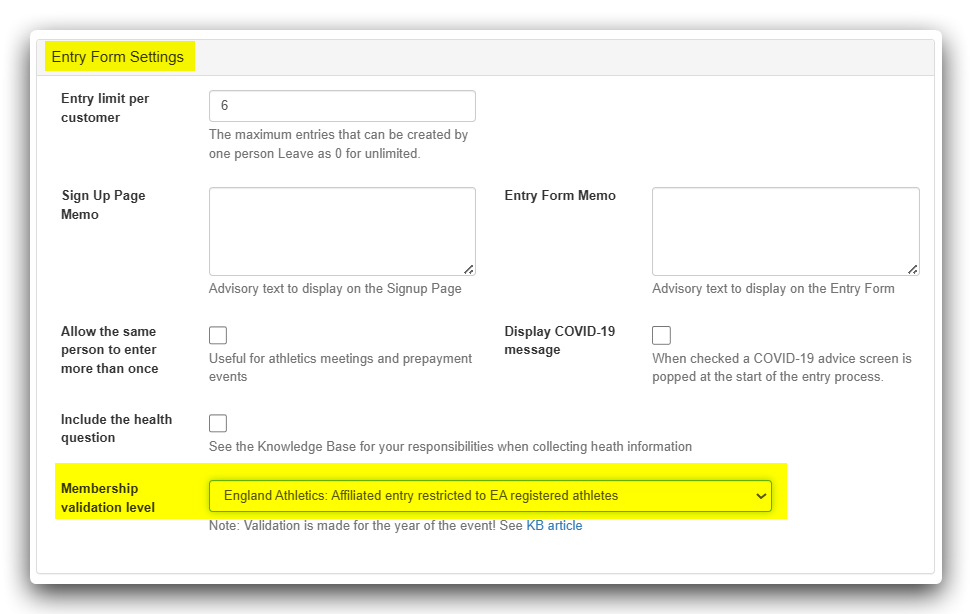
Secondly go to Setup >> Entry Settings >> Entry Form Settings and select the validation:
How it works:
- Instant Verification: When a runner claims the affiliated rate and enters their URN, the system performs a real-time check.
- Identity Matching: To ensure accuracy, the system cross-references the member number against the First Name, Surname, and Date of Birth entered on the entry form.
- Income Protection: The reduced entry fee for EA affiliated runners is only applied if a valid membership is confirmed. If the check fails, the system prompts the runner to check their details or pay the unaffiliated levy.
We have taken a practical approach to membership expiry; We understand that many races open months in advance. Our validation logic is designed to be runner-friendly; as long as the member is currently registered with EA at the time of entry, they can secure their discounted spot, avoiding issues with those whose memberships may be up for renewal before race day.
When validation fails the entrant gets this message:
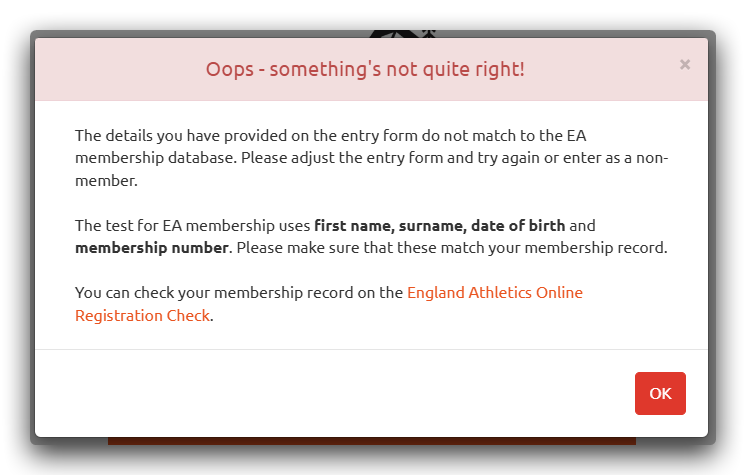
Note that we have included a link to the EA online check so hopefully that will allow people to check their own details for any issues.